Comparing the Best eCommerce Web Design Softwares

Flora Glass


Flora Glass
With so many options available online, choosing the best eCommerce web design software for your business or e-commerce needs can be challenging.
At Casa Media, a digital marketing agency in Montreal specializing in web design and development, we explore the pros and cons of each leading eCommerce web design software. Our expert web designers and developers provide insights into what makes each platform unique and who they are best suited for.
By the end of this article, you will have a clearer understanding of which eCommerce web design software best meets the needs of your business’ venture.


When talking about web design and development, WordPress is the oldest in the game and is one of the most popular and widely used content management systems (CMS) in the world. Over 42% of sites online have been built using WordPress.
With a vast library of themes, plugins, and a supportive community, WordPress gives users the ability to build unique and dynamic websites tailored to their specific needs.
Initially created for blogging, it has evolved into a versatile platform suitable for a variety of websites, including blogs, business sites, online stores, and portfolios. WooCommerce is a user-friendly WordPress plugin specifically for eCommerce use and has been circulating for over a decade.
Its open-source nature means a large community of developers continuously contribute to its improvement, making it a flexible and scalable choice for both beginners and advanced users.
The main users of WooCommerce are eCommerce businesses. It is a very popular software with 3.4 million online stores and one of the oldest in the game.
Whilst WooCommerce is a free plugin to install through WordPress, the price of setting up your shop through WooCommerce varies depending on which hosting and domain providers you choose. There is a lot more price flexibility with WooCommerce, and many extra add-ons to choose from.
Read more about WooCommerce pricing here.
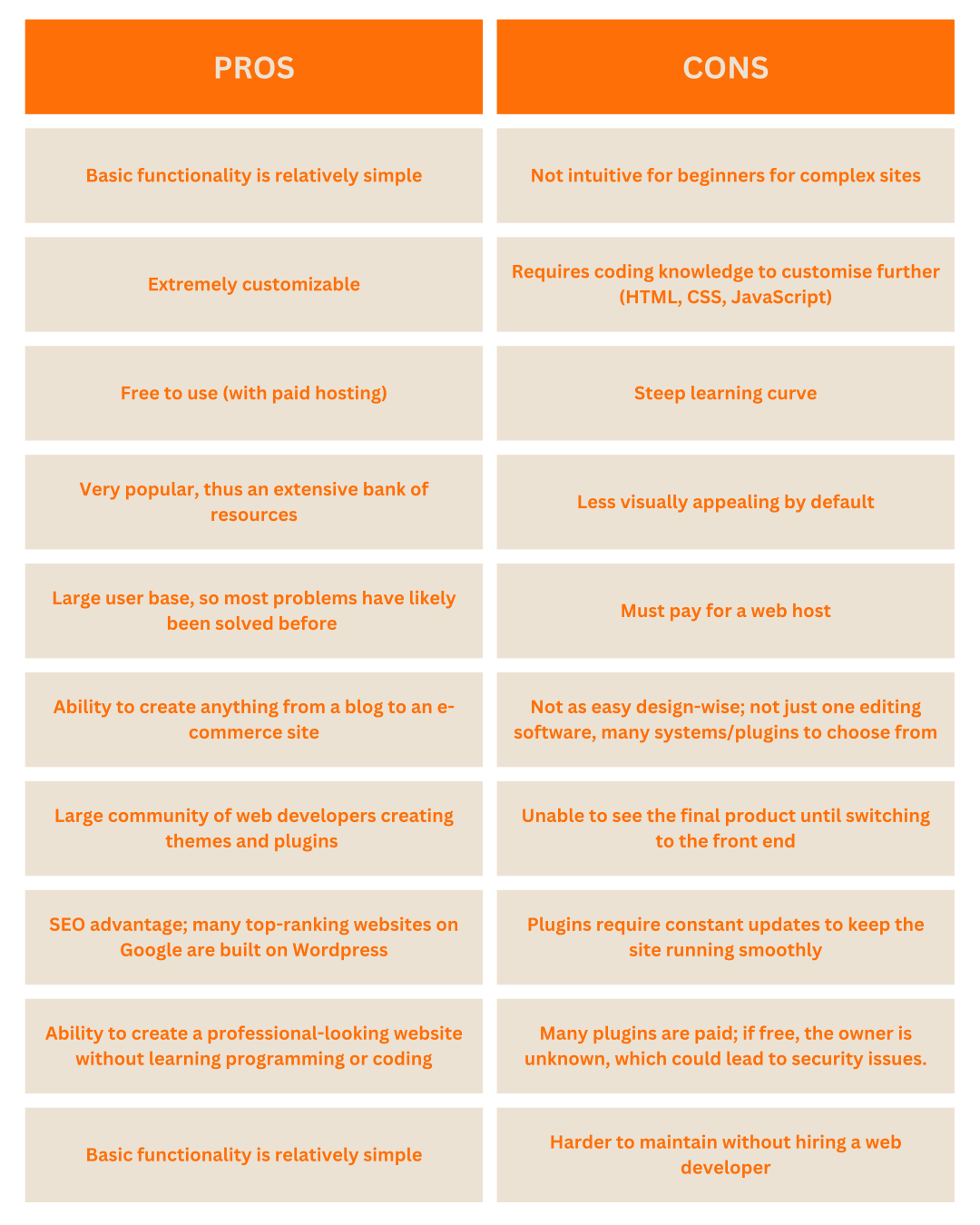
While WooCommerce is free to use, keep in mind that hosting costs can apply.
The platform’s strengths include its large user base, SEO advantages, and the ability to create professional-looking websites without needing to learn programming.
However, it does have a steeper learning curve, requires coding knowledge for advanced customization, and demands regular maintenance and updates, often necessitating technical support.
For those willing to invest time in learning and maintaining their site, WooCommerce stands out for its customization capabilities, extensive resources, and community support.
Here is a link to help setting up your eCommerce store on WooCommerce!

Shopify is a leading e-Commerce platform designed specifically for online stores and retail point-of-sale systems.
It provides users with a comprehensive set of tools to create, manage, and grow their online businesses, offering various beginner-friendly themes and apps that enable users to customize their stores and enhance their functionality.
The platform is known for its ease of use and how good it is for beginners, reliability, and extensive support resources, making it a popular choice for eCommerce businesses.
Hiring a web design agency like Casa Media can help you make the most out of what Shopify has to offer.
Although Shopify doesn’t have a free version, it does provide a 3-day free trial to test out the platform, and offers the first month for just $1 with most plans.
Check out the Shopify price plans in more details here.
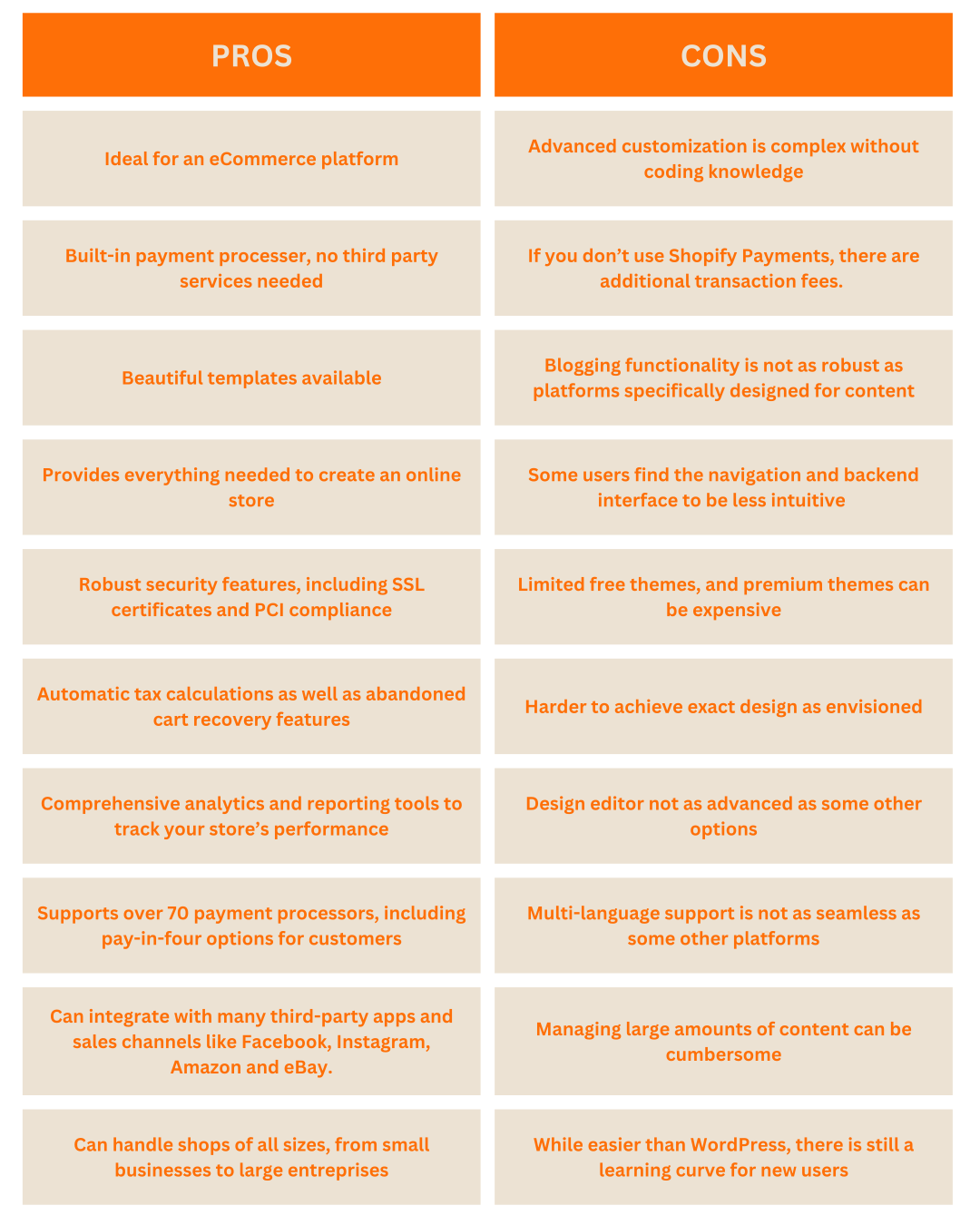
For those looking to establish an online store, Shopify’s comprehensive array of tools and resources make it a strong contender. It is also super beginner friendly!
Its ease of use, reliability, and extensive support are significant advantages, especially for those new to eCommerce.
However, potential users should consider the costs involved and a need for coding knowledge is required for advanced customizations making it less user friendly for beginners. Consider hiring a web development agency like Casa Media to help you out on all things eCommerce!
Shopify is an excellent option for those seeking a robust, all-in-one e-commerce solution and are willing to invest in the platform’s paid plans.
Here are some links to help you with the Shopify learning curve!
Webflow is a powerful eCommerce web design tool that combines the flexibility of a visual builder with the control of custom code.
It’s targeted at designers, developers, and businesses who need a high degree of customization and functionality.
Webflow allows users to create responsive websites with a visual drag-and-drop editor, but it also provides access to the underlying HTML, CSS, and JavaScript for advanced customizations.
This platform is ideal for those who have some technical expertise and want to create highly customized and dynamic websites without sacrificing design quality or flexibility.
Check out Webflow’s price plans in more detail here.
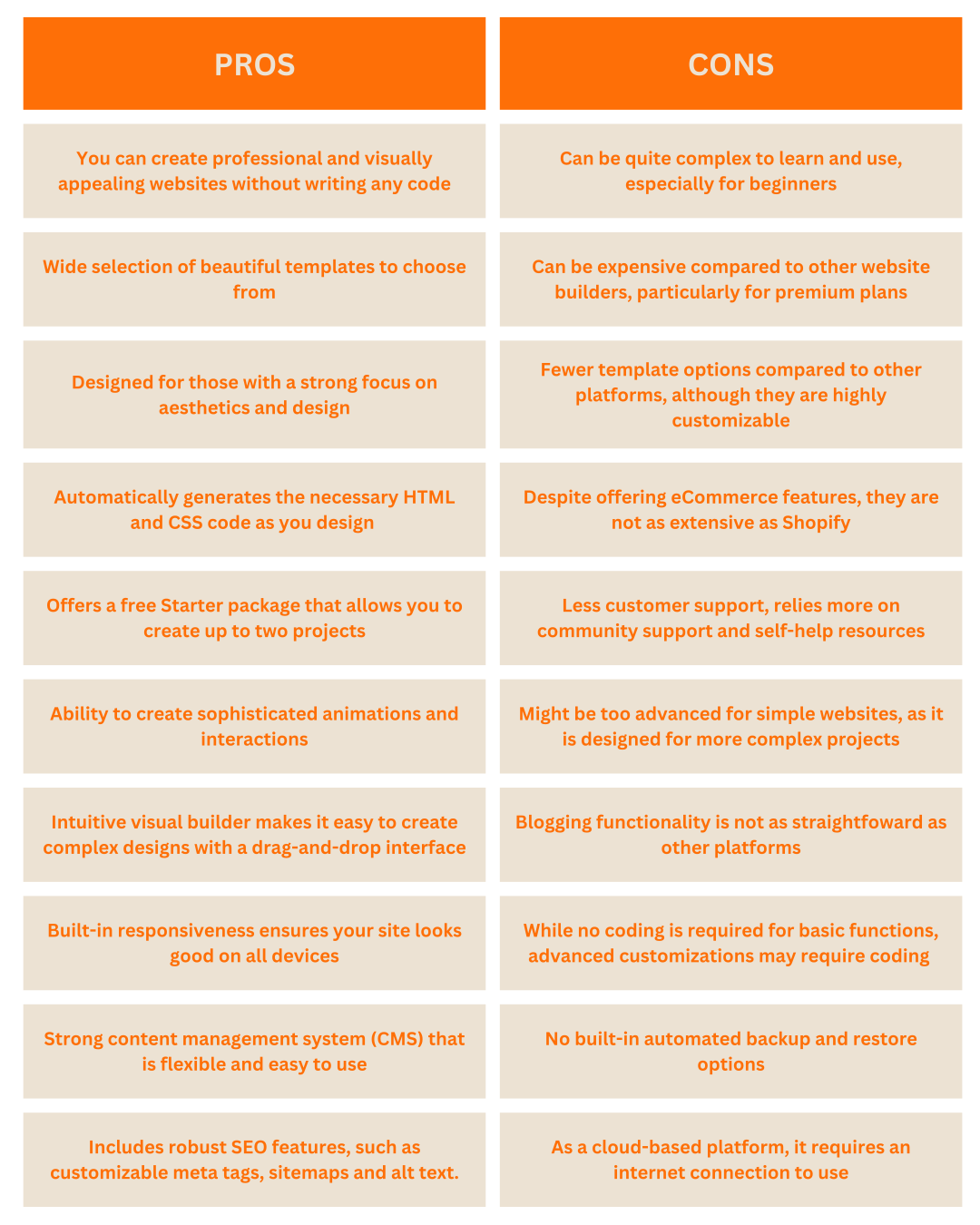
Webflow is a powerful web design tool that combines the capabilities of a visual design interface with the flexibility of custom code, making it a favorite among designers and developers.
For individuals and businesses looking to create a visually stunning and highly customizable website, Webflow is an excellent choice.
However, beginners might find the learning curve steep, and the higher cost could be a consideration for those on a tight budget.
Webflow is best suited for designers, developers, and those who want to push the boundaries of eCommerce web design without being constrained by traditional templates and limited customization options.
Here is a link to help you with the Webflow learning curve!
https://webflow.com/blog/how-to-build-a-website-in-webflow-in-3-hours-or-less
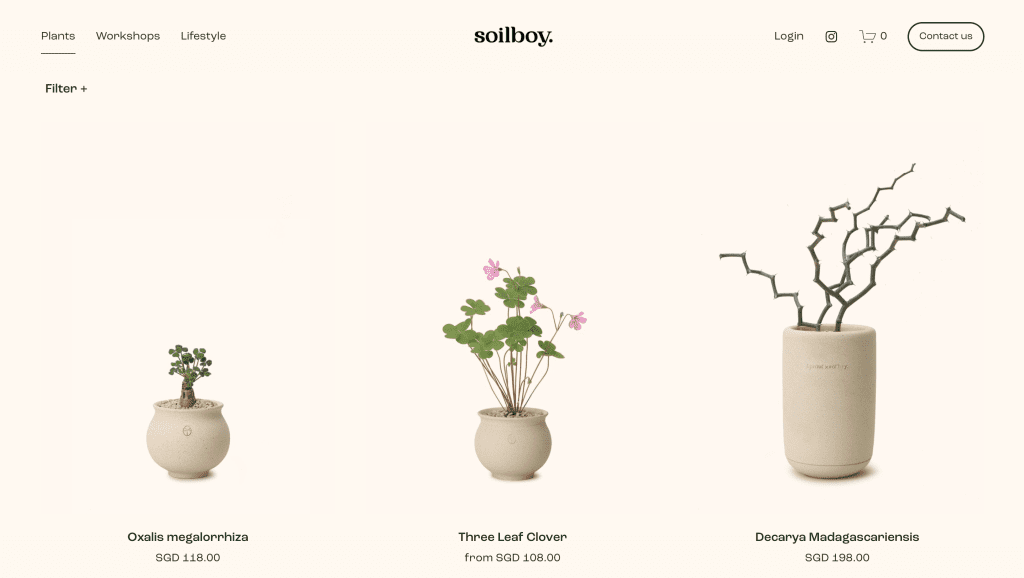
Squarespace is renowned for its sleek, professional design templates and all-in-one platform that includes hosting, domain registration, and website building.
It offers strong e-commerce capabilities, making it a popular choice for creatives, small businesses, and online stores.
Squarespace provides robust blogging features, integrated marketing tools, and responsive templates optimized for mobile devices.
While it may have a steeper learning curve and higher cost compared to some other builders, its design quality and comprehensive features make it a preferred choice for many users seeking a polished, professional website.
Included a 14-day free trial, with the following upgrade options:
Check out Squarespace price plan’s features here.
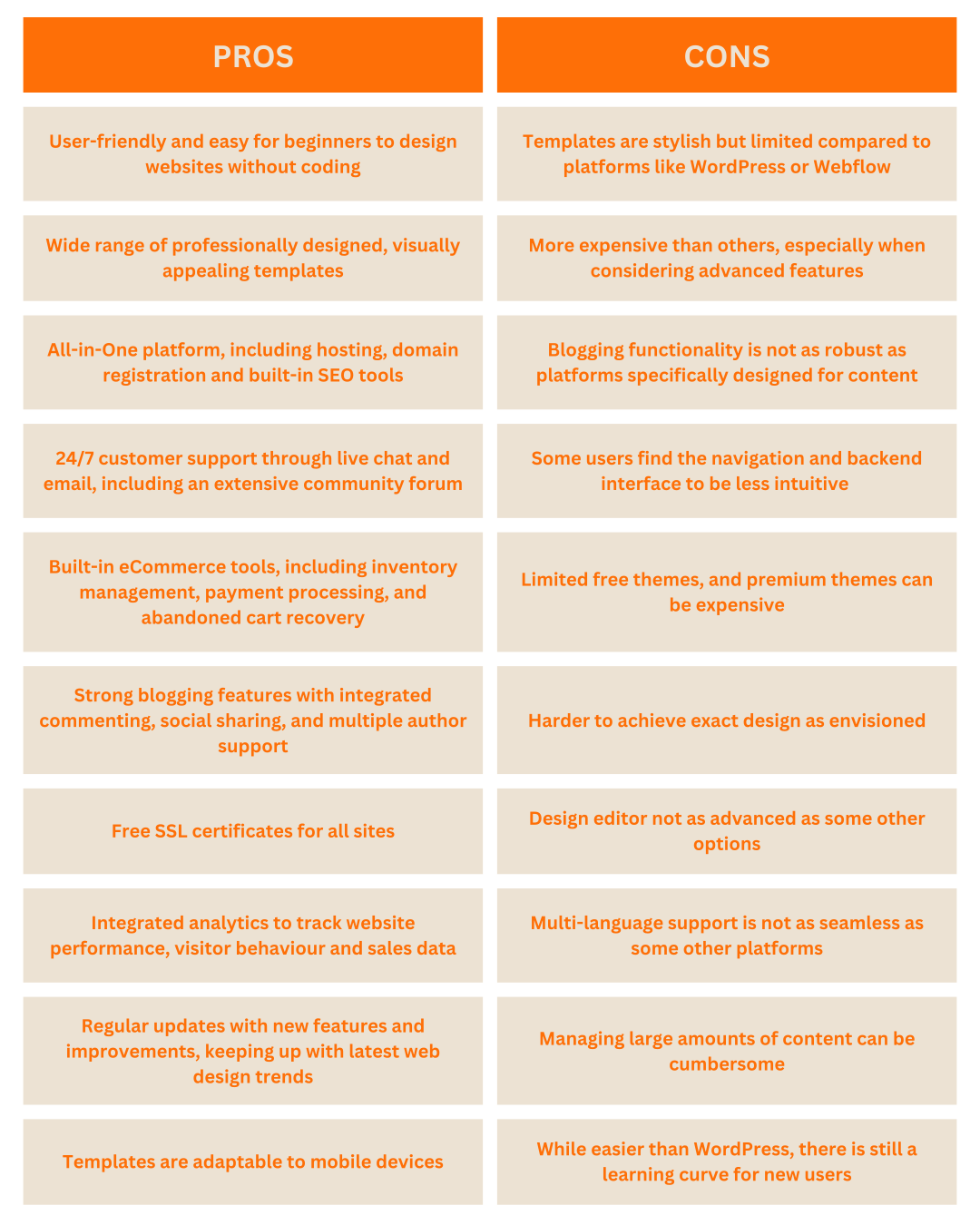
Squarespace is a user-friendly interface and beautiful templates make it easy to build attractive sites quickly.
However, users seeking deep customization or advanced features might find Squarespace somewhat limiting.
Overall, Squarespace is best suited for those who prioritize design and ease of use and need a reliable, all-in-one solution for building and managing their online eCommerce business.
Here is a link to help you learn how to build your eCommerce website on Squarespace!
https://www.squarespace.com/how-to/build-a-website
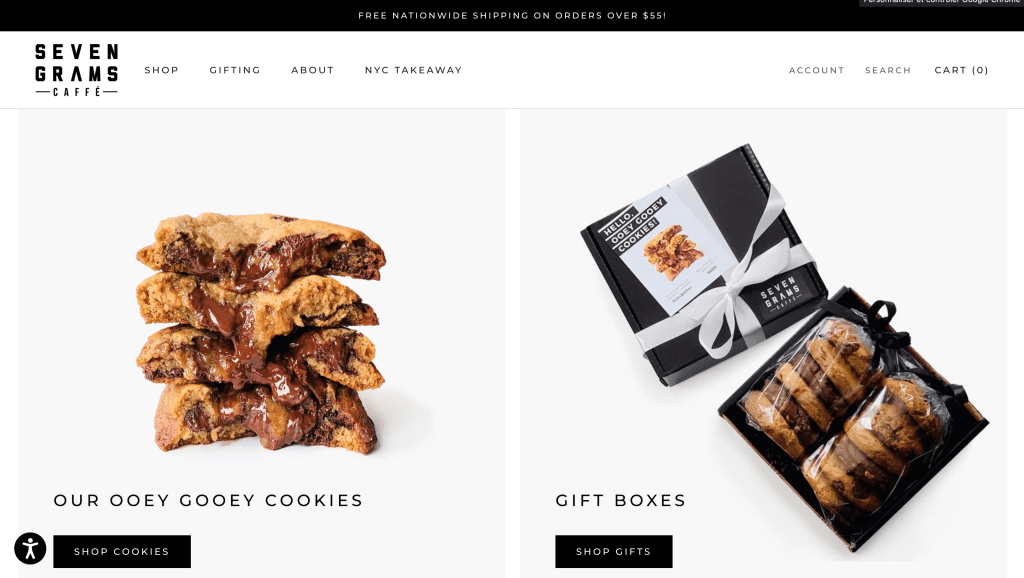
Wix is a versatile website builder known for its intuitive drag-and-drop interface, which allows users to create visually appealing eCommerce websites without any coding knowledge.
It offers a wide range of professionally designed templates and a robust app market to enhance site functionality.
Wix provides built-in SEO tools, mobile optimization, and various pricing plans, including a free option as well as 24/7 customer care.
It’s particularly popular among small businesses, artists, and freelancers due to its ease of use with eCommerce and extensive design capabilities.
Read more about Wix’s price plans here.

Wix is an excellent choice for individuals and small businesses of all skill levels looking for an easy-to-use, flexible website builder with a wide range of design options and features.
Its intuitive drag-and-drop interface and extensive template library make it particularly appealing to beginners and those without coding skills.
However, users seeking advanced e-commerce features or more in-depth SEO capabilities might find Wix limiting.
The platform’s free plan is a great way to get started, but the presence of ads might necessitate an upgrade for a more professional appearance.
Check out this link to help you on your website building journey with Wix!
https://www.wix.com/blog/how-to-make-a-website
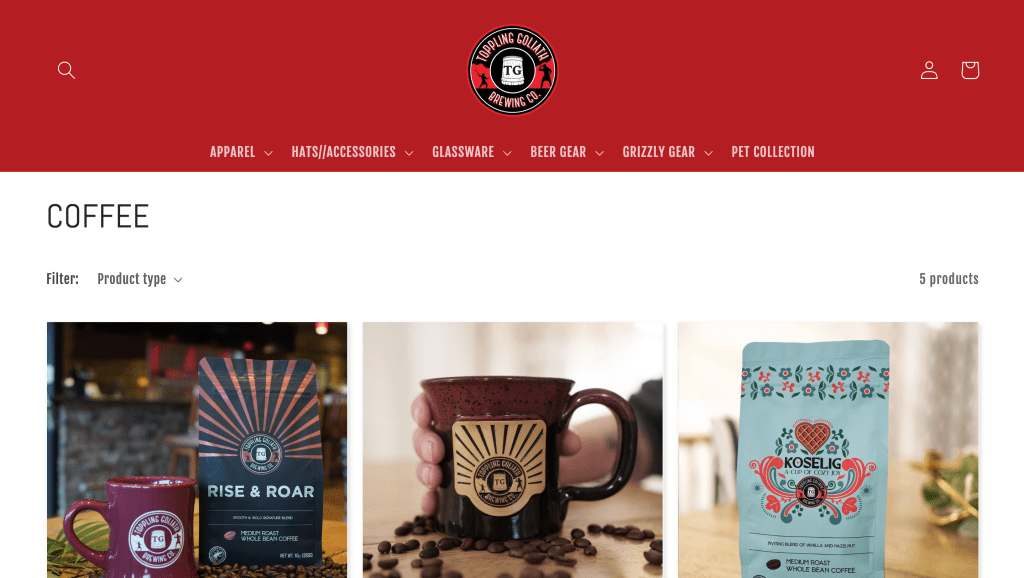
Weebly is a WYSIWYG (What You See Is What You Get) website builder, meaning you can click and edit, as well as drag and drop media, without needing to know any code.
It mostly caters to individuals and small businesses looking to create a professional online presence with minimal technical skills.
Weebly also includes built-in e-commerce tools, making it a suitable option for small online stores.
While it may have fewer customization options compared to some competitors, its simplicity and affordability make it an attractive choice for beginners.
Read more about Weebly’s price plans here.

Weebly is a solid choice for individuals, small businesses, and entrepreneurs looking for an easy-to-use website builder with strong e-commerce capabilities.
Its integration with Square makes it particularly beneficial for users focused on online sales.
However, users seeking extensive customization options or more advanced features might find Weebly very limiting.
Overall, Weebly is best suited for those who prioritize simplicity and e-commerce functionality in their website-building endeavors, and aren’t looking for much personalization.
Check out how to build a website on Weebly below!
https://www.weebly.com/websites/how-to-make-a-website
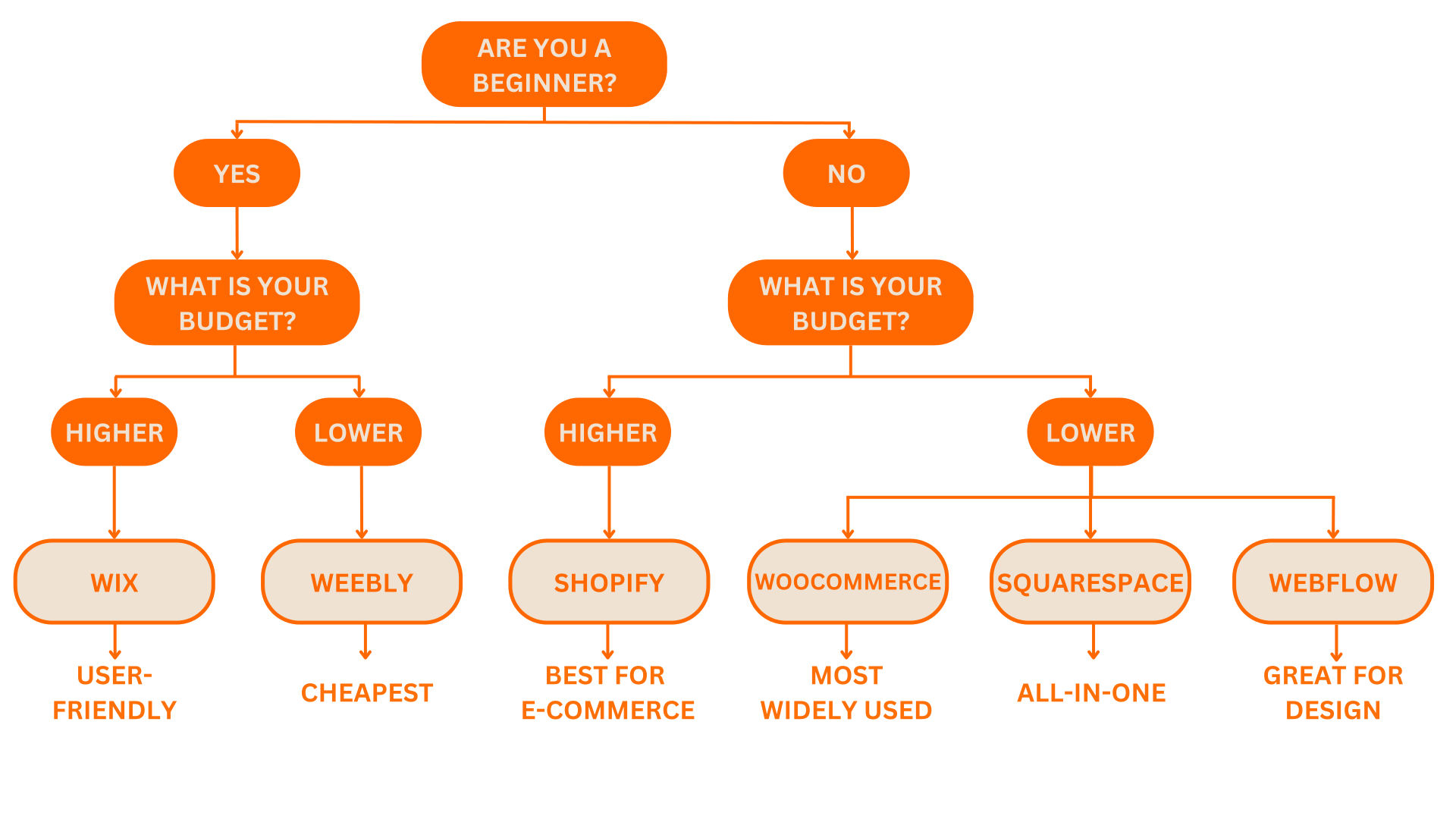
When choosing the best eCommerce web design software, it’s crucial to consider your specific needs, technical skills, and long-term goals.
WooCommerce stands out for its vast customization options, extensive plugin ecosystem, and strong community support, making it ideal for businesses looking for scalability and flexibility.
Shopify excels in creating robust online stores with its powerful e-commerce features and ease of use, perfect for entrepreneurs focused on retail.
Weebly offers a straightforward, user-friendly platform with e-commerce capabilities, suitable for absolute beginners and small businesses lacking financial freedom.
Wix provides a drag-and-drop editor with a wide range of templates, catering to those who want a budget design flexibility without coding.
Squarespace impresses with its stunning design templates and integrated features, making it a top choice for creatives and small business owners.
Lastly, Webflow offers a unique blend of design freedom and professional capabilities, ideal for experienced designers and developers seeking more control.
Ultimately, the best eCommerce web design software depends on your specific requirements. Whether you prioritize ease of use, design flexibility, e-commerce capabilities, or advanced customization, there is a platform that will meet your needs.
Here at Casa Media, our choice for the best eCommerce web design software as a web design agency in Montreal, would be Shopify due to its super user-friendly design for merchants, and ability to start with an array of visually appealing designs from the get-go. It is worth investing a little bit more into your website, as this is what draws your buyers in! Better website = higher sales. Read more on our blog about why good web design is important.
While Wix and Weebly are more budget friendly options, the end result won’t be as high quality as WooCommerce or Shopify.
Feel free to even test out a few eCommerce web design platforms on their free trials to get a feel for each. By carefully evaluating each option, you can make an informed decision and build a website that effectively represents your brand and achieves your objectives.
Finally, don’t forget that outsourcing to a digital marketing agency, like Casa Media, who specialize in web development and design, can help with your eCommerce needs, from comprehensive marketing support, spanning web design, maintenance, development, and advertising needs. Contact us today!